In this guide
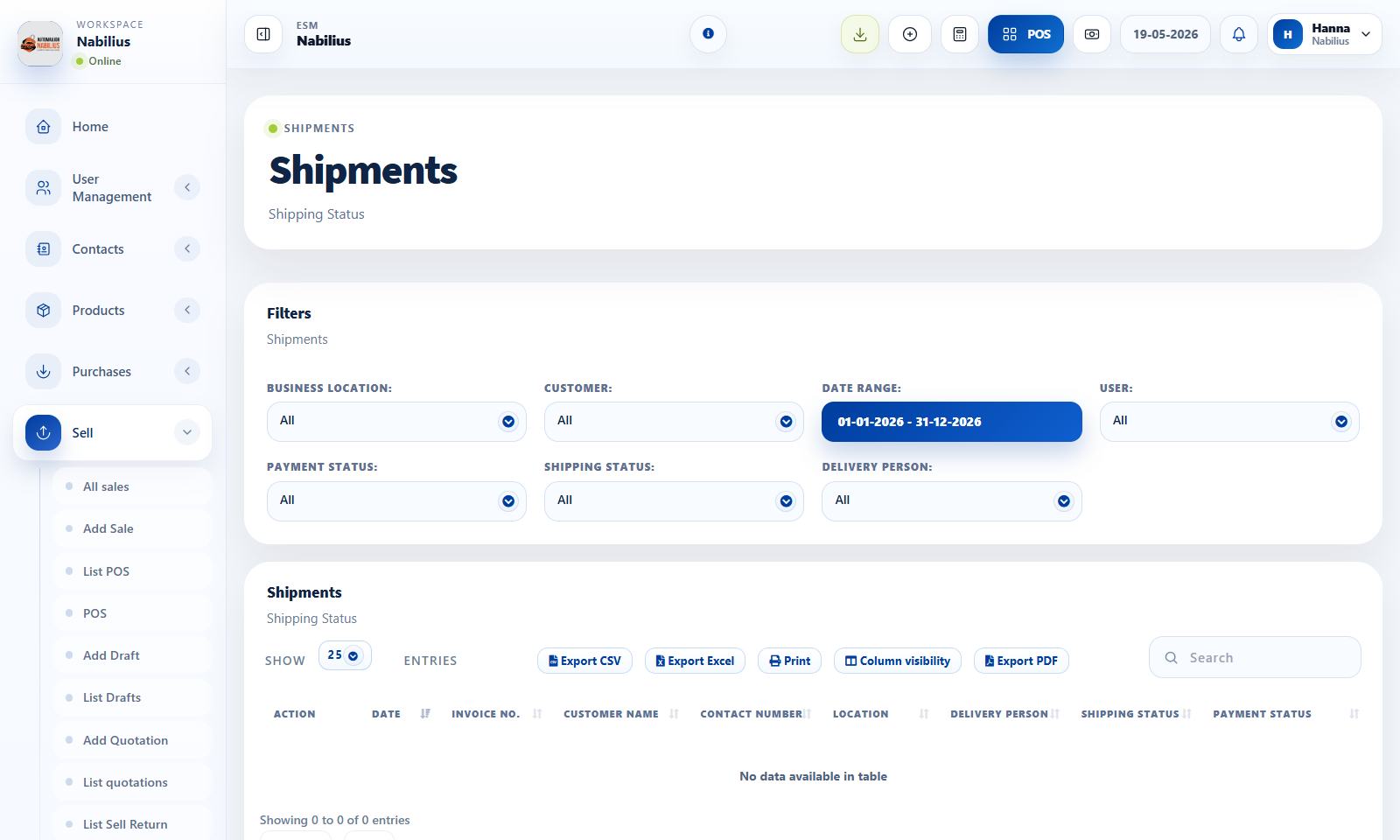
Shipments
Shipment data helps teams follow delivery status after a sale.
- Use shipping status, delivery person, shipping address, and documents where needed.
- Filter shipments by customer, user, payment status, delivery person, and date range.
- Keep status updated so customer service can answer delivery questions.
Sell returns
Returns reverse part or all of a sale while preserving the original invoice.
- Select the original sale before creating a return.
- Confirm returned quantities and refund or payment due behavior.
- Review stock after return if returned products go back into inventory.
Controls
Returns and shipment updates can affect accounting, stock, and customer trust.
- Use notes to explain return reasons.
- Check payment method when refunding.
- Use reports to reconcile returns by date and customer.
Detailed operating workflow
Use shipment and return workflows to track delivery status, returned products, and refund impact.
- Filter shipments by date, customer, location, user, payment status, shipping status, and delivery person.
- Update shipping details, shipping address, delivery person, documents, and additional expenses when needed.
- Create sell returns from the original sale so returned products and payment effects remain linked.
- Review return quantities and totals before saving because stock and dues may change.
Check before moving on
Shipping status matches the physical delivery state.
Returned quantities do not exceed sold quantities.
Return totals appear correctly in sales and stock reports.
Review signals and troubleshooting
Use these checks when the screen looks correct but the numbers, records, or workflow do not behave as expected.
- If shipment filters show no records, check date range and shipping status.
- If a return affects stock unexpectedly, inspect product stock history for the return transaction.
- Document return reasons to support customer service and inventory review.