In this guide
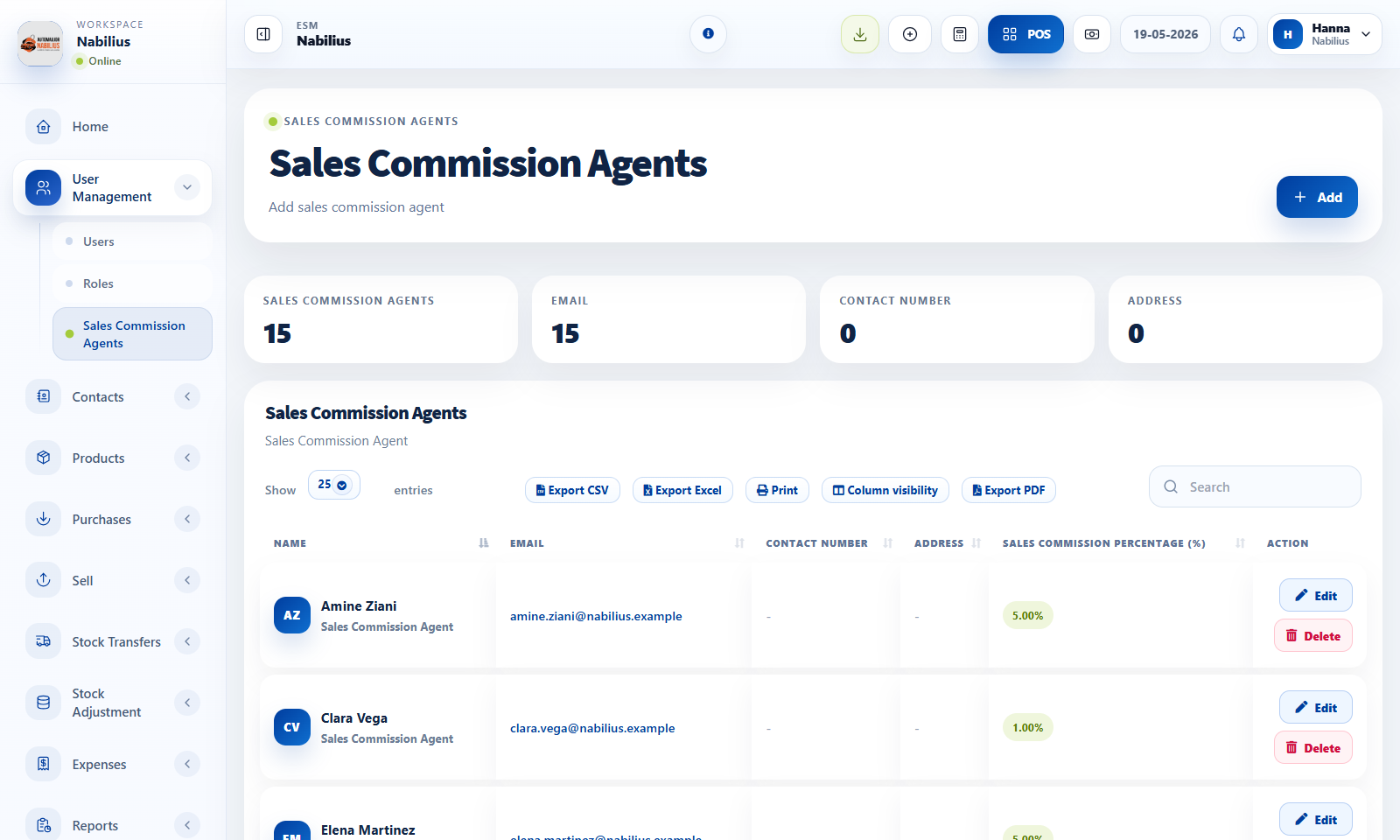
When to use commission agents
Commission agents are useful when sales performance must be tied to a person or representative.
- Enable the feature in Business Settings if the business pays commissions.
- Create each agent with a clear name and commission percentage or rule.
- Assign the agent during sales so reports can calculate commission totals.
Reporting
Commission data becomes useful only when sales are consistently assigned to the correct agent.
- Use Sales Representative Report to review sales, expenses, payments, and commissions.
- Compare commission output with payment reports before paying agents.
- Use date and location filters to separate monthly or branch-specific performance.
Controls
Keep commission setup simple unless the business has a documented compensation policy.
- Avoid changing commission rules after sales have already been created for a period.
- Use notes if an exception needs to be documented.
Detailed operating workflow
Use commission agents when sales performance or payout needs to be tracked by representative.
- Enable commission-agent behavior in Business Settings before creating agent records.
- Create agents with clear names and commission rules that match the business policy.
- Assign the agent on sales transactions so commission reports have enough context.
- Review commission reports before approving payouts or payroll adjustments.
Check before moving on
Commission agent fields appear only where the workflow needs them.
Sales are assigned to the correct agent before invoices are finalized.
Returned or cancelled sales are considered before paying commission.
Review signals and troubleshooting
Use these checks when the screen looks correct but the numbers, records, or workflow do not behave as expected.
- If commission totals seem high, check duplicate sales, returns, and the selected date range.
- If an agent is missing, confirm the record is active and the feature is enabled.
- Use sales representative reports with payment status when payout depends on collected revenue.
Practical notes
- If the business does not pay commission, leave the feature disabled to keep sales forms simpler.