In this guide
Payment report purpose
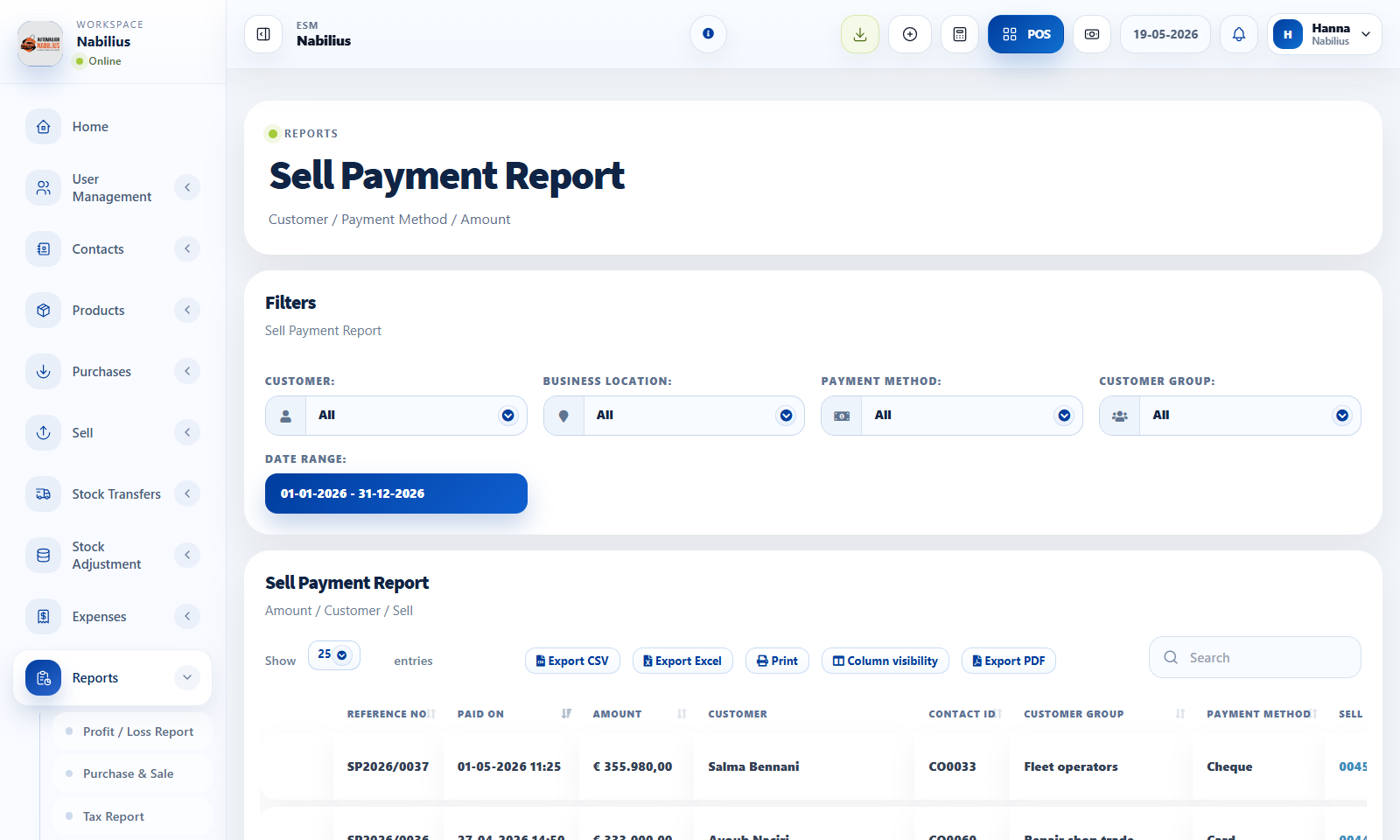
Payment reports answer who paid, when, how much, by which method, and against which transaction.
- Use Purchase Payment Report for supplier payments.
- Use Sell Payment Report for customer payments.
- Filter by payment method, contact, location, date range, and user where available.
Concise payment method display
Payment method cells should be easy to scan.
- Review methods such as Cash, Cheque, Card, and Bank Transfer.
- Open the transaction or child payment details only when reference information is needed.
Reconciliation
Use payment reports with ledgers and totals for accounting checks.
- Compare report totals with contact ledger balances.
- Confirm partial payments and payment due amounts.
- Export payment reports after applying filters.
Detailed operating workflow
Use payment reports to reconcile money received from customers and paid to suppliers.
- Choose sell or purchase payment report based on the transaction side being reviewed.
- Filter by date range, contact, location, user, and payment method.
- Read concise payment methods first, then open details only when reference numbers are needed.
- Use contact ledgers to confirm the payment affected the expected balance.
Check before moving on
Pagination counts stay consistent between pages.
Payment method cells show concise names such as Cash, Cheque, Card, or Bank Transfer.
Totals align under amount and due columns.
Review signals and troubleshooting
Use these checks when the screen looks correct but the numbers, records, or workflow do not behave as expected.
- If the first page count changes after clicking next, inspect server-side pagination and filtered totals.
- If child payments appear too detailed, keep details in the child view and summarize the table cell.
- If a payment is missing, check whether it was recorded under another transaction or contact.
Practical notes
- When reconciling, export only after confirming date range, payment method, location, and contact filters.