In this guide
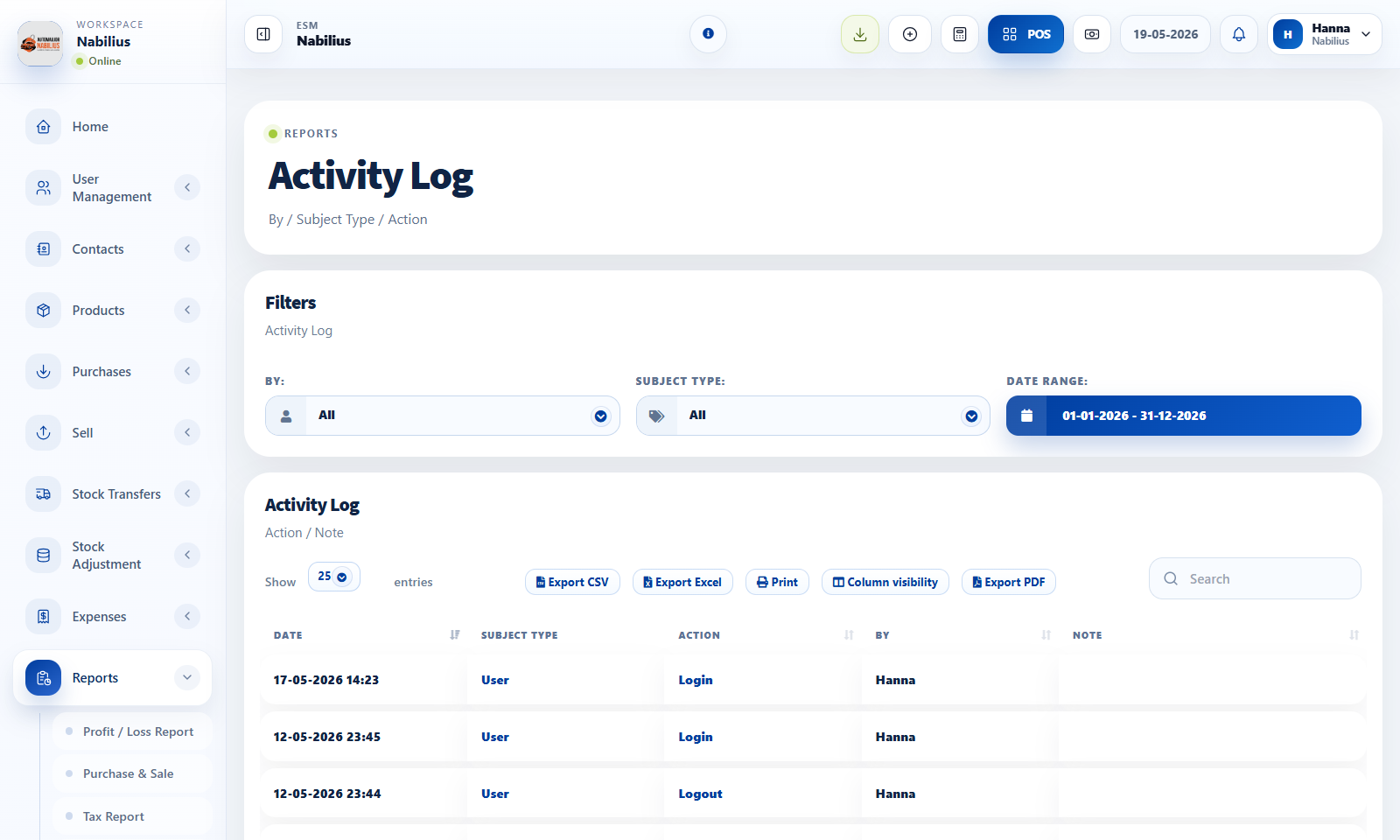
What the log records
The activity log helps owners understand who changed what and when.
- Logins and logouts identify user access events.
- Created, updated, deleted, and status-change events identify operational changes.
- Notes can include references such as invoice numbers, expense references, or status values.
How to use it
Use the log when investigating unexpected totals, data changes, or user actions.
- Filter by date and search by user, subject, action, or reference.
- Open the related record when a note includes an invoice or reference number.
- Export the log when an audit needs to be shared.
Limitations
The log is an audit helper, not a replacement for permissions.
- Keep sensitive permissions limited through roles.
- Review access regularly rather than relying on logs after the fact.
Detailed operating workflow
Use Activity Log for accountability when records are created, updated, deleted, logged in, or logged out.
- Search by user, subject, action, reference number, or note when investigating a change.
- Filter by date before exporting audit data.
- Use note details to jump back to related invoices, expenses, or status changes.
- Review login and logout events after access-sensitive work.
Check before moving on
Login and logout both register for authenticated users.
Status and total details are compact and readable inside the note column.
Export buttons and search remain visible and aligned.
Review signals and troubleshooting
Use these checks when the screen looks correct but the numbers, records, or workflow do not behave as expected.
- If a login is missing, check authentication event logging and user session flow.
- If the log is too noisy, filter before exporting rather than changing log behavior.
- Use logs with role permissions; do not rely on audit after granting broad access.