In this guide
When to use Add Sale
Add Sale is better than POS when the sale needs richer details or a slower invoice workflow.
- Use Add Sale for B2B invoices, delivery orders, service sales, or sales with long notes.
- Select customer, pay term, sale date, location, products, tax, discount, shipping, and payment.
- Attach documents when the sale needs supporting files.
Line items
Line item totals are affected by quantity, unit price, tax, discount, and product configuration.
- Use product suggestions to add the correct SKU.
- Confirm unit and quantity before saving.
- Use subtotal and grand total to validate the sale before payment.
After saving
Saved sales appear in Sales, Drafts, Quotations, POS, reports, and payment records depending on status.
- Print or preview the invoice after saving.
- Record payments if the sale is not fully paid.
- Use sell return when goods are returned rather than deleting the original invoice.
Detailed operating workflow
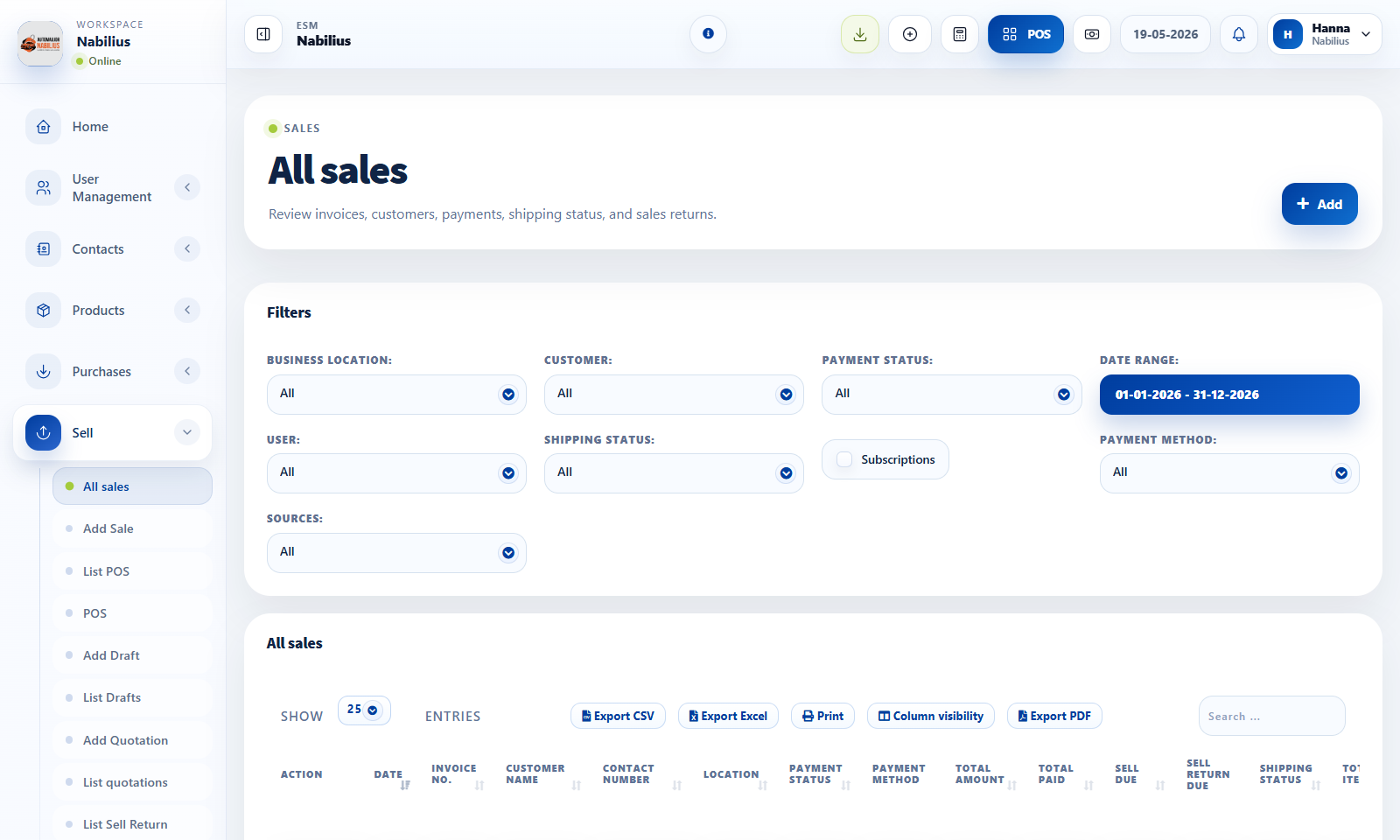
Use sales invoices to review, edit, print, ship, and reconcile completed sales outside the POS workspace.
- Filter sales by date, customer, location, payment status, shipping status, user, or subscription where needed.
- Open actions to view, edit, print, add payments, ship, or inspect activity based on permissions.
- Use concise payment status and shipping status columns to identify follow-up work.
- Export the filtered table when sharing sales records with accounting or operations.
Check before moving on
Invoice number, date, customer, location, total, paid amount, and due amount align with reports.
Edit and delete actions are limited to authorized users.
Printed invoice uses the expected invoice layout.
Review signals and troubleshooting
Use these checks when the screen looks correct but the numbers, records, or workflow do not behave as expected.
- If totals do not match reports, confirm cancelled, draft, quotation, and subscription filters.
- If an invoice action is missing, check role permissions and transaction status.
- Use activity logs when invoice status or payment history is disputed.